

/wiki command analyzes your repository and generates a structured Wiki covering architecture, modules, APIs, and conventions. Cloud Sync stores the Wiki in the Factory App, and AutoWiki can optionally sync it to GitHub Wiki.
Quick start
1
Open a Droid session in your repo
Navigate to your project directory and start Droid:
2
Run the wiki command
droid-wiki/ folder in your project directory. Once generation is
complete, Cloud Sync stores the contents in the Factory App.3
View the result
After Cloud Sync completes, Droid prints a link to your Wiki:Open the link to browse your documentation, or visit
app.factory.ai/wiki to see all your Wikis.
What happens during generation
When you run/wiki, Droid performs several steps:
- Codebase analysis — Reads source files, configuration, tests, and documentation to understand the project structure
- Page generation — Produces a set of structured markdown files organized by topic (architecture, modules, APIs, setup, etc.)
- Visual screenshots — If the repository has a QA skill installed, Droid launches the application and captures screenshots of web UIs and TUIs to include in the Wiki. Run
/install-qato set one up if your repo doesn’t have one yet. - Cloud Sync — Stores the pages and images in the Factory App
- GitHub Wiki sync — For GitHub repos, flattens pages and pushes to GitHub Wiki
Wiki generation uses your current branch and working directory state.
For the most accurate documentation, run
/wiki from a clean checkout
of your default branch.GitHub Wiki sync
After Cloud Sync stores the Wiki in the Factory App, the Droid CLI automatically syncs it to GitHub Wiki for GitHub-hosted repositories. The sync: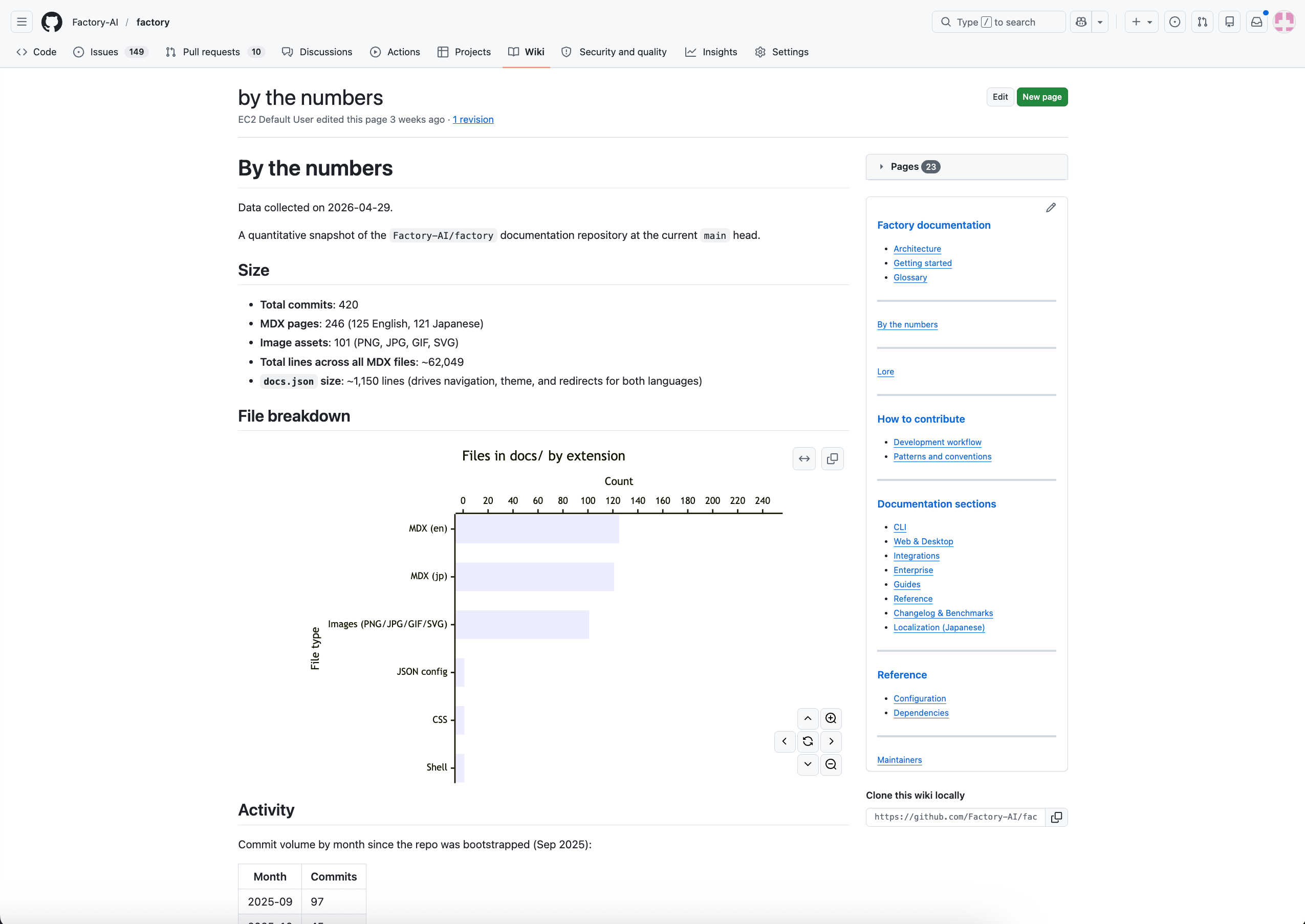
- Flattens the hierarchical page tree into GitHub Wiki’s flat format (e.g.,
overview/architecture.mdbecomesoverview--architecture.md) - Rewrites internal links to use the flat filenames
- Generates
_Sidebar.mdwith a navigable table of contents - Generates
Home.mdfrom your Wiki root page - Clones
{repo}.wiki.git, replaces all content, and pushes
Prerequisites for GitHub sync
- Your repository must be hosted on GitHub
- GitHub Wiki must be initialized — if you’ve never used it, create the first page at
https://github.com/{owner}/{repo}/wiki - Your Git credentials must have push access to the GitHub Wiki repository
- AutoWiki Cloud Sync must not be disabled for your organization
Versioning
Each Wiki generation creates a new Wiki Run with metadata including:- Commit hash and branch name
- Whether there were local uncommitted changes
- Droid CLI version used
- Timestamp
See also
- Set up AutoWiki refresh — Keep Wikis current with a CI action
- Browse Wikis — Read, search, and export Wikis from the Factory App
- AutoWiki overview — How all the pieces fit together